Top 15 Revolutionary Multi-Factor Authentication Software Solutions in 2026
Discover the top 15 best multi-factor authentication software in 2026. Compare features, pricing, and security to protect your business from cyber threats effectively.
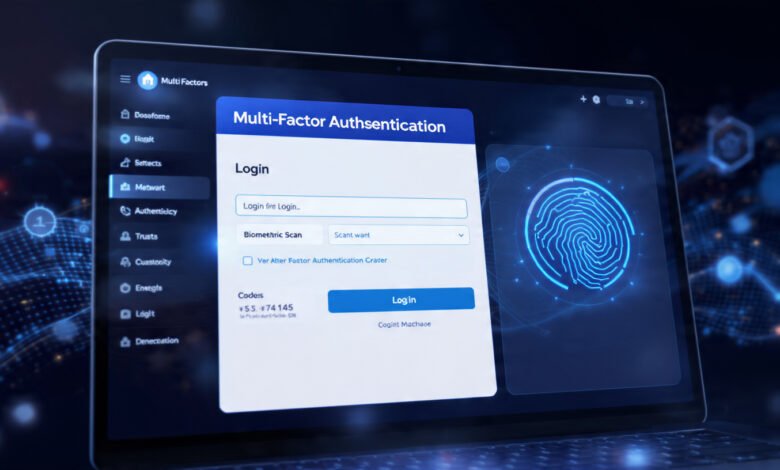
Multi-factor authentication software has become the backbone of modern cybersecurity in 2026. With over 81% of data breaches involving compromised passwords and cyberattacks surging by 44-47% year-over-year, relying solely on passwords is no longer viable. Organizations across all industries now recognize that implementing robust MFA software isn’t just a best practice—it’s a critical business necessity.
The challenge isn’t whether to implement multi-factor authentication, but which solution fits your specific needs. From small startups to Fortune 500 enterprises, every organization faces unique security requirements, budget constraints, and user experience expectations. Some businesses need developer-friendly APIs for seamless integration, while others require enterprise-grade adaptive MFA with comprehensive compliance certifications.
In this comprehensive guide, we’ve analyzed the 15 best multi-factor authentication software solutions available in 2026. We’ll break down their features, pricing, ideal use cases, and implementation considerations. Whether you’re protecting customer accounts, securing employee access, or meeting regulatory requirements like HIPAA or SOC 2, this guide will help you make an informed decision that balances security, usability, and cost-effectiveness.
What is Multi-Factor Authentication Software?
Multi-factor authentication (MFA) is a security system that requires users to verify their identity using two or more distinct authentication factors before gaining access to applications, systems, or data. Unlike traditional single-factor authentication that relies solely on passwords, MFA software creates multiple security layers that dramatically reduce the risk of unauthorized access.
The Three Core Authentication Factors
MFA solutions typically combine elements from three categories:
- Something you know: Passwords, PINs, or security questions
- Something you have: Mobile devices, hardware tokens, or smart cards
- Something you are: Biometric data like fingerprints, facial recognition, or iris scans
Modern authentication software also incorporates advanced factors like location-based verification and behavioral analytics to create adaptive authentication systems that adjust security requirements based on risk levels.
Why Multi-Factor Authentication Matters in 2026
The cybersecurity landscape has evolved dramatically. Traditional password-based authentication no longer provides adequate protection against sophisticated attack vectors like credential stuffing, phishing campaigns, and social engineering. Here’s why MFA implementation is critical:


- Protection Against Password Vulnerabilities: Even complex passwords can be compromised through phishing, keylogging, or database breaches. Two-factor authentication and multi-factor authentication ensure that stolen credentials alone cannot grant system access.
- Regulatory Compliance: Industries like healthcare, finance, and government increasingly mandate MFA for compliance with regulations including GDPR, PCI DSS, and HIPAA. Failure to implement proper authentication methods can result in significant penalties.
- Remote Work Security: With distributed workforces accessing corporate resources from various locations and devices, identity and access management (IAM) systems with robust MFA capabilities have become essential for maintaining security perimeters.
- Reduced Account Takeover: Multi-factor authentication software prevents up to 99.9% of automated cyberattacks by requiring verification factors that attackers cannot easily replicate or steal.
Top 15 Best Multi-Factor Authentication Software in 2026
1. Microsoft Entra ID (Formerly Azure Active Directory)
Microsoft Entra ID leads the enterprise MFA software market with seamless integration across the Microsoft ecosystem. Organizations already using Office 365, Azure, or Windows environments find this solution particularly valuable.
Key Features:
- Passwordless authentication using Windows Hello, FIDO2 security keys, or Microsoft Authenticator
- Conditional access policies that adjust authentication requirements based on user risk, location, and device compliance
- Integration with over 3,000 SaaS applications
- Biometric authentication support for enhanced security
- Advanced threat detection with AI-powered risk-based authentication
Best For: Medium to large enterprises heavily invested in the Microsoft ecosystem
Pricing: Starts at $6 per user/month for premium features
Pros:
- Exceptional integration with Microsoft products
- Comprehensive compliance certifications (SOC 2, ISO 27001, HIPAA)
- Sophisticated adaptive MFA capabilities
Cons:
- Can be complex for smaller organizations
- Premium features require higher-tier licenses
2. Cisco Duo Security
Cisco Duo delivers enterprise-grade multi-factor authentication with exceptional ease of deployment. The platform excels at protecting remote access scenarios and supports thousands of applications through its extensive integration library.
Key Features:
- Push notification authentication for frictionless user experience
- Device health checks before granting access
- Single sign-on (SSO) capabilities
- Comprehensive endpoint verification
- Trusted device management
Best For: Organizations prioritizing quick deployment and strong remote access security
Pricing: Starts at $3 per user/month
Pros:
- Simple implementation process
- Excellent user experience with push-based authentication
- Strong device trust capabilities
Cons:
- Advanced analytics require higher-tier plans
- Limited customization compared to some competitors
3. RSA SecurID
RSA SecurID represents the gold standard for highly regulated industries requiring maximum security. With decades of proven reliability, this MFA solution offers both hardware and software tokens.
Key Features:
- Time-based one-time passwords (OTP) changing every 60 seconds
- Hardware and software token options
- Risk-based authentication with machine learning
- Support for FIDO2 authentication standards
- Extensive compliance support
Best For: Financial institutions, government agencies, and highly regulated industries
Pricing: Custom enterprise pricing
Pros:
- Exceptional security track record
- Flexible deployment options
- Strong compliance credentials
Cons:
- Higher cost than many alternatives
- More complex initial setup
4. Okta Identity Cloud
Okta provides comprehensive identity and access management with powerful multi-factor authentication capabilities. The platform’s strength lies in its extensive integration ecosystem and developer-friendly approach.
Key Features:
- Universal directory for centralized user management
- Adaptive MFA with contextual access policies
- 7,000+ pre-built integrations
- Passwordless authentication options
- Lifecycle management automation
Best For: Large enterprises requiring extensive third-party integrations
Pricing: Starts at $2 per user/month for basic workforce identity
Pros:
- Massive integration library
- Sophisticated policy engine
- Excellent API documentation
Cons:
- Can become expensive at scale
- Complexity may overwhelm smaller teams
5. Google Authenticator
Google Authenticator remains one of the most widely used two-factor authentication apps globally. Its simplicity and zero cost make it accessible for individuals and organizations of all sizes.
Key Features:
- Time-based one-time passwords (TOTP)
- Cloud backup for code recovery
- Offline functionality
- Simple QR code setup
- Multi-account management
Best For: Individual users and small businesses seeking free, reliable 2FA
Pricing: Free
Pros:
- Completely free
- Works offline
- Extremely simple to use
Cons:
- Limited enterprise features
- No advanced authentication methods
- Minimal security beyond TOTP
6. LastPass with MFA
LastPass combines password management with integrated multi-factor authentication, offering a comprehensive security solution that addresses both credential storage and verification.
Key Features:
- Password vault with MFA protection
- Biometric authentication support
- Security challenge reports
- Emergency access features
- Multi-factor authentication for stored passwords
Best For: Organizations wanting combined password management and MFA capabilities
Pricing: Starts at $4 per user/month
Pros:
- All-in-one password and MFA solution
- Strong encryption standards
- Cross-platform availability
Cons:
- Past security incidents raise concerns
- Premium features locked behind higher tiers
7. ManageEngine ADSelfService Plus
ManageEngine ADSelfService Plus excels at providing self-service password management with robust multi-factor authentication for Active Directory environments.
Key Features:
- Adaptive MFA with 18+ authentication methods
- Self-service password reset
- Single sign-on for cloud applications
- YubiKey support for hardware token authentication
- Mobile app authentication
Best For: Organizations using Active Directory seeking affordable MFA
Pricing: Starts at $495 for 500 users (one-time license)
Pros:
- Cost-effective licensing model
- Extensive authentication factor options
- Strong AD integration
Cons:
- Interface feels less modern
- Limited features for non-Windows environments
8. Descope
Descope revolutionizes customer authentication with a no-code platform that enables teams to implement sophisticated multi-factor authentication without extensive development resources.
Key Features:
- Visual workflow builder for authentication flows
- Passwordless authentication focus
- Adaptive MFA based on risk signals
- Integration with third-party risk tools
- Pre-built UI components
Best For: Product teams needing fast customer MFA implementation
Pricing: Free tier available; paid plans from $99/month
Pros:
- Fastest implementation speed
- No coding required for complex flows
- Strong passwordless capabilities
Cons:
- Newer platform with smaller ecosystem
- Less suitable for workforce authentication
9. YubiKey by Yubico
YubiKey provides hardware-based multi-factor authentication through physical security keys, offering the highest level of phishing resistance available.
Key Features:
- FIDO2 authentication standard support
- Works without batteries or network connection
- Support for multiple protocols (FIDO2, U2F, OTP, Smart Card)
- Waterproof and crush-resistant design
- No personal information stored on device
Best For: Organizations requiring maximum phishing resistance
Pricing: Hardware keys range from $25-70 per device
Pros:
- Strongest phishing protection
- No batteries or connectivity required
- Durable physical design
Cons:
- Requires physical key possession
- Additional cost for replacement if lost
- User adoption challenges
10. CyberArk Multi-Factor Authentication
CyberArk focuses on privileged access management with integrated MFA designed specifically for protecting administrator and privileged accounts.
Key Features:
- Specialized privileged account protection
- Biometric authentication options
- Adaptive authentication for high-risk accounts
- Session recording and monitoring
- Vault protection for credentials
Best For: Enterprises prioritizing privileged access security
Pricing: Custom enterprise pricing
Pros:
- Industry-leading privileged access features
- Comprehensive audit capabilities
- Strong compliance support
Cons:
- Expensive for organizations not needing privileged access focus
- Complex implementation
11. MiniOrange
MiniOrange delivers comprehensive multi-factor authentication with support for over 15 login methods and compatibility with 5,000+ applications.
Key Features:
- Passwordless authentication options
- Adaptive authentication with conditional access
- Support for VPN, Windows, Mac, and Linux login
- Biometric and hardware token support
- Affordable pricing structure
Best For: Small to mid-sized businesses seeking feature-rich, affordable MFA
Pricing: Starts at $2 per user/month
Pros:
- Very cost-effective
- Extensive authentication method support
- Broad application compatibility
Cons:
- Less sophisticated than enterprise solutions
- Smaller support infrastructure
12. Ping Identity
Ping Identity provides enterprise-grade identity and access management with advanced multi-factor authentication capabilities designed for complex, distributed environments.
Key Features:
- Drag-and-drop workflow designer
- Zero Trust security framework support
- Passwordless authentication options
- Extensive third-party integrations
- AI-powered fraud detection
Best For: Large enterprises requiring sophisticated IAM with MFA
Pricing: Custom enterprise pricing
Pros:
- Highly flexible and customizable
- Strong adaptive MFA capabilities
- Excellent for hybrid environments
Cons:
- Steep learning curve
- Higher price point
13. Thales SafeNet Authentication
Thales delivers trusted authentication solutions for organizations with stringent security and compliance requirements, particularly in regulated industries.
Key Features:
- Hardware and software token options
- One-time password generation
- Cloud-based authentication services
- Support for financial transaction authentication
- Compliance with international standards
Best For: Financial services and highly regulated sectors
Pricing: Custom pricing based on deployment
Pros:
- Proven reliability in critical sectors
- Flexible deployment models
- Strong regulatory compliance
Cons:
- Premium pricing
- Can be over-engineered for simple use cases
14. Stytch
Stytch targets developers with API-first authentication infrastructure, making it simple to implement passwordless and multi-factor authentication in modern applications.
Key Features:
- Developer-friendly APIs and SDKs
- Passwordless magic links and OTP
- Session management
- Biometric authentication support
- WebAuthn/FIDO2 support
Best For: Development teams building custom authentication
Pricing: Pay-as-you-go starting at $0.05 per monthly active user
Pros:
- Excellent developer experience
- Flexible pricing model
- Modern authentication methods
Cons:
- Requires development resources
- Less suitable for non-technical teams
15. FusionAuth
FusionAuth offers self-hosted identity and access management with comprehensive MFA capabilities, giving organizations complete control over their authentication infrastructure.
Key Features:
- Self-hosted or cloud deployment
- Multi-tenant architecture
- OAuth 2.0 and OpenID Connect support
- Customizable authentication flows
- No user limits on community edition
Best For: Organizations requiring self-hosted authentication with full data control
Pricing: Free community edition; enterprise from $1,250/month
Pros:
- Self-hosting capability
- No user-based pricing limits
- Open-source community edition
Cons:
- Requires infrastructure management
- More technical setup required
How to Choose the Right Multi-Factor Authentication Software
Selecting the optimal MFA solution requires evaluating several critical factors:
Security Requirements
Assess your organization’s threat landscape and compliance obligations. Highly regulated industries may require FIDO2-certified solutions or hardware tokens, while others might find authenticator app-based two-factor authentication sufficient.
User Experience
Balance security with usability. Passwordless authentication and push notifications typically offer better user adoption than SMS codes or complicated token systems. Consider your user base’s technical sophistication.
Integration Capabilities
Ensure your chosen authentication software integrates with your existing identity and access management infrastructure, applications, and workflows. Poor integration creates security gaps and user frustration.
Scalability
Choose solutions that grow with your organization. Evaluate pricing models, user limits, and performance at scale before committing to enterprise deployments.
Deployment Model
Decide between cloud-based, on-premises, or hybrid deployments based on your data sovereignty requirements, existing infrastructure, and operational capabilities.
Conclusion
Implementing robust multi-factor authentication software is no longer optional in 2026’s threat landscape. The 15 solutions we’ve explored represent the best available options, each excelling in different scenarios. Enterprise organizations with Microsoft ecosystems will find Microsoft Entra ID invaluable, while Cisco Duo offers unmatched simplicity for quick deployments. Organizations requiring maximum security should consider RSA SecurID or YubiKey, whereas developer teams might prefer Stytch or Descope for their API-first approaches. The key is matching your specific security requirements, budget constraints, and user experience expectations with the right MFA platform. Whatever solution you choose, implementing multi-factor authentication dramatically reduces your vulnerability to cyber threats and protects your organization’s most valuable assets.