7 Powerful No-Code AI Automation Tools That Transform Business Workflows in 2026
Discover how no-code AI automation lets anyone build powerful workflows without programming. Learn tools, benefits, and strategies to automate business processes today.
Building automation used to require an engineering degree and months of development time. Not anymore. No-code AI automation has completely changed the game, putting powerful workflow creation tools in the hands of marketers, operations managers, HR professionals, and anyone who understands their business processes.
Right now, your team is probably wasting hours every week on repetitive tasks like copying data between systems, routing approvals, or sending follow-up emails. These aren’t just minor annoyances. Research shows organizations waste 40% of their time on manual, repetitive work. That’s two full days every week spent on tasks that could run automatically.
The shift happening in 2026 is massive. By the end of this year, 75% of new enterprise applications will include no-code or low-code components, up from less than 25% just a few years ago. This isn’t a trend for tech companies alone. Small businesses, healthcare providers, retailers, and financial institutions are all building sophisticated AI-powered workflows without writing a single line of code.
This guide walks you through everything you need to know about no-code automation platforms. You’ll learn what these tools actually do, which features matter most, and how to start automating your workflows today without depending on developers or IT resources.
What is No-Code AI Automation?
No-code AI automation refers to platforms that let you build automated workflows and applications using visual interfaces instead of programming languages. Rather than writing code, you work with drag-and-drop builders, pre-built templates, and simple configuration screens to create everything from basic task automations to complete business applications.
These platforms combine three powerful capabilities:
Visual workflow builders that let you design processes by connecting blocks on a screen, similar to creating a flowchart. AI integration that adds intelligence to your workflows through machine learning models, natural language processing, and predictive capabilities. App connectivity through thousands of pre-built integrations that sync data and trigger actions across your entire tech stack.


The “AI” part makes these tools smarter than traditional automation. Instead of just following rigid if-then rules, AI workflow automation can understand unstructured data, make intelligent routing decisions, generate content, and improve over time based on patterns it detects.
For example, a traditional automation might forward all customer emails to your support team. An AI-powered workflow can read those emails, categorize them by intent, extract key information, check if similar issues were resolved before, and route each message to the right specialist with relevant context already attached.
How No-Code Automation Platforms Actually Work
Understanding how these platforms function helps you use them effectively. Most no-code automation tools follow a similar architecture:
The Trigger-Action Model
Every automation starts with a trigger, which is an event that kicks off your workflow. Common triggers include receiving an email, adding a row to a spreadsheet, submitting a form, or hitting a specific date and time.
Once triggered, the workflow executes one or more actions. These might include sending notifications, creating records in your CRM, generating documents, updating databases, or calling AI models to process information.
Visual Canvas Design
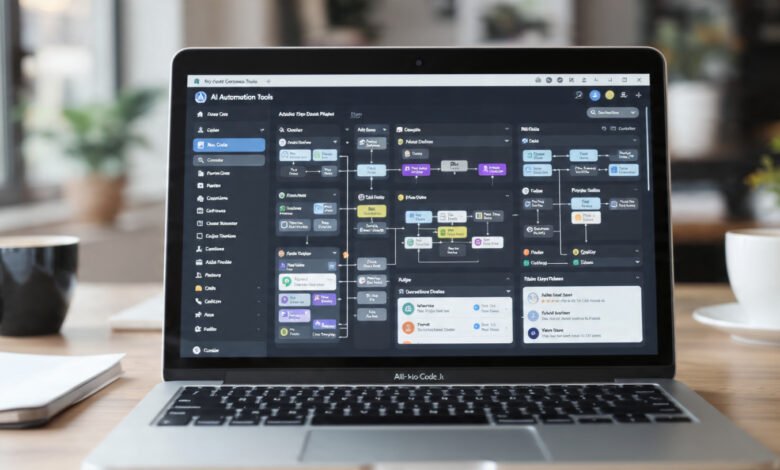
Instead of writing code, you build workflows on a visual canvas. You drag workflow steps onto the screen, connect them with lines showing the sequence, and configure each step through simple forms. The platform handles all the underlying code, API calls, and data transformations automatically.
Data Mapping and Transformation
Business process automation requires moving data between systems that use different formats. No-code platforms include visual data mappers that let you connect fields from one app to another. Many now use AI to suggest mappings automatically based on field names and data types.
Built-in AI Capabilities
Modern platforms embed AI directly into the workflow builder. You can add steps that summarize text, extract entities, classify content, generate responses, or make predictions without setting up machine learning models yourself. The platform provides these capabilities as ready-to-use building blocks.
Key Benefits of No-Code AI Automation for Business
Organizations implementing no-code automation platforms report transformative results across multiple dimensions:
Dramatically Faster Development Cycles
Traditional software development takes months. No-code workflow automation compresses that timeline to days or even hours. Teams report up to 90% faster build cycles, shipping in weeks what used to take months. This speed lets you respond to market changes, test ideas quickly, and stay ahead of competitors.
Massive Cost Savings
Hiring developers to build custom integrations costs hundreds of thousands of dollars per project. No-code automation cuts development costs by 40-60% compared to traditional programming. When business users build their own automations, you avoid both the direct costs of hiring specialists and the opportunity costs of waiting months for IT resources.
Empowered Teams and Reduced IT Bottlenecks
The real power of no-code platforms lies in who can use them. Sales operations can automate lead scoring. Marketing can build campaign workflows. HR can streamline onboarding. Finance can automate approvals. Each team becomes self-sufficient instead of waiting in the IT backlog.
Organizations using citizen developer programs report clearing backlogs 5-10x faster when business users handle departmental applications while IT maintains governance and security oversight.
Improved Accuracy and Consistency
Manual data transfer introduces errors. Automated workflows ensure consistent, accurate data synchronization across all your business systems. This reliability provides trustworthy information for decision-making and eliminates the mistakes that come from copy-paste operations.
Scalability Without Linear Cost Growth
As your business grows, automation platforms scale with you. Workflows handle increased volume without requiring additional staff, allowing you to grow revenue without proportionally increasing operational costs. A workflow that processes 10 orders daily can just as easily handle 10,000 without modification.
Essential Features to Look for in No-Code Automation Tools
Not all no-code automation platforms deliver equal value. When evaluating options, prioritize these critical features:
Intuitive Visual Interface
The platform should feel natural to use. Look for clean drag-and-drop interfaces that make automation creation straightforward. The best platforms let business users build and edit workflows without training, while still offering advanced features when needed.
Extensive Integration Library
The value of an automation platform directly ties to the apps it connects. Top platforms offer thousands of pre-built connectors to popular business applications like Salesforce, Google Workspace, Slack, Microsoft 365, HubSpot, and industry-specific tools. Native integrations work better than basic API connections.
However, don’t just count integrations. Verify the platform connects to your core business systems first. A platform with 6,000 integrations but missing your key tools won’t deliver value.
AI-Native Capabilities
Modern platforms incorporate artificial intelligence to enhance automation:
- Smart data mapping where AI suggests field connections between apps
- Intelligent routing with ML-powered decision making in workflows
- Natural language processing to understand and generate text
- Predictive automation that triggers workflows based on detected patterns
- Anomaly detection with automatic alerts when workflows behave unexpectedly
Real-Time Data Synchronization
Outdated data leads to poor decisions. Your workflow automation software should offer real-time or near-real-time sync capabilities, two-way data flow to keep systems aligned, and conflict resolution when the same record changes in multiple places.
Enterprise-Grade Security and Compliance
For business-critical workflows, security isn’t optional. Look for platforms offering SOC 2 Type II compliance, GDPR and CCPA compliance, encryption at rest and in transit, single sign-on (SSO) integration, role-based access controls, and audit logs that track all changes.
Testing and Debugging Tools
Building workflows is one thing. Making sure they work correctly is another. The best no-code platforms include test modes to run workflows with sample data, step-by-step execution logs, error handling that catches and resolves issues automatically, and the ability to retry failed steps without rerunning entire workflows.
Top No-Code AI Automation Platforms in 2026
The market offers dozens of options. Here are the most capable AI workflow automation tools serving different needs:
Zapier: Best for Beginners and Small Businesses
Zapier pioneered no-code workflow automation and remains the most user-friendly option. With over 8,000 app integrations, it connects virtually any tools you use. The platform excels at simple, linear workflows like syncing contacts between your email marketing platform and CRM, or creating tasks in project management tools from form submissions.
Zapier now includes AI features like content generation with ChatGPT and video creation with HeyGen. The pricing starts free for basic automations and scales based on tasks executed.
Make (formerly Integromat): Best for Complex Visual Workflows
Make offers one of the most powerful visual workflow builders available. Its strength lies in handling complex scenarios with multiple branches, conditional logic, and parallel processing. The platform provides over 3,000 pre-built applications and excellent tools for data transformation.
Make positions itself as the platform for teams that need sophisticated business process automation without the limitations of simpler tools. AI agents and advanced analytics make it suitable for enterprise deployments.
Microsoft Power Automate: Best for Microsoft Ecosystems
If your organization runs on Microsoft 365, Dynamics, or Azure, Power Automate provides the deepest integration. It combines no-code automation with robotic process automation (RPA) capabilities, letting you automate desktop applications alongside cloud services.
Power Automate includes AI Builder for adding machine learning models to workflows without data science expertise. The platform benefits from Microsoft’s enterprise security and compliance certifications.
n8n: Best for Technical Teams Wanting Flexibility
n8n uniquely combines no-code and code-based approaches. Business users build with visual tools, while developers can drop into JavaScript or Python when needed. The platform offers 400+ integrations and runs as open-source software you can self-host for maximum data control.
This flexibility makes n8n popular with technical teams that want the speed of visual building but need the power to customize when requirements exceed what visual builders can handle.
Vellum: Best for AI-First Workflows
Vellum focuses specifically on AI workflow automation, providing prompt-based builders that let non-technical teams create AI-powered processes in minutes. The platform includes built-in evaluation tools, version control, and monitoring for AI applications.
For teams building AI-native organizations, Vellum offers the governance and testing capabilities needed to deploy AI workflows reliably across the enterprise.
Real-World Use Cases: How Businesses Use No-Code Automation
Understanding practical applications helps identify opportunities in your own organization. Here’s how different teams leverage no-code AI automation:
Sales and CRM Automation
Sales teams use automated workflows to enrich lead data from web forms, score leads based on engagement signals, route qualified prospects to the right sales reps, trigger personalized follow-up sequences, and sync activity between CRM and communication tools.
A typical workflow might capture a new lead from your website, call an AI service to extract company information and social profiles, score the lead based on firmographic data, assign it to a rep based on territory and availability, and send a personalized email referencing specific pain points detected from the prospect’s activity.
Marketing Campaign Management
Marketing teams build sophisticated campaigns without developer support. No-code platforms enable segmenting audiences based on behavior and attributes, personalizing content using AI-generated variations, scheduling cross-channel campaigns across email, social, and ads, tracking engagement and automatically adjusting messaging, and measuring ROI by connecting marketing tools to analytics platforms.
HR and Employee Onboarding
Human resources automates the entire employee lifecycle. When someone accepts a job offer, a workflow automation tool can create accounts in all necessary systems, send welcome emails with personalized information, assign training modules based on role, schedule meetings with team members, and track completion of required paperwork.
This automation reduces onboarding time from weeks to days while ensuring nothing gets forgotten in the process.
Finance and Procurement
Finance teams use business automation for invoice processing with OCR to extract data from documents, multi-level approval routing based on amount and category, automatic payment scheduling and reconciliation, expense report validation and reimbursement, and budget tracking with alerts when thresholds are reached.
AI-powered tools can detect anomalies in spending patterns, flag potential fraud, and ensure compliance with financial policies automatically.
Customer Support and Service
Support teams leverage AI workflow automation to triage incoming tickets using natural language understanding, route issues to specialists based on content and priority, generate response suggestions using historical resolutions, escalate cases that exceed SLA thresholds, and collect feedback after issue resolution.
These workflows reduce response times, improve consistency, and let human agents focus on complex issues requiring empathy and judgment.
How to Get Started with No-Code Automation: A Practical Roadmap
Implementing no-code automation platforms successfully requires more than just signing up for a tool. Follow this proven approach:
Step 1: Identify High-Impact Automation Opportunities
Start by mapping your team’s repetitive tasks. Look for processes where you’re copying data between systems, sending similar emails repeatedly, creating reports manually, waiting for approvals, or performing the same checks on every item.
The best first automations solve real pain points, run frequently enough to deliver meaningful time savings, involve clear, consistent rules rather than complex judgment calls, and touch systems where you already have integrations available.
Avoid trying to automate your most complex processes first. Build confidence with simpler wins before tackling sophisticated scenarios.
Step 2: Choose Your Platform Strategically
Select a no-code automation tool based on your specific requirements, not just popularity. Consider which apps you need to connect, the complexity of logic your workflows require, your team’s technical skill level, security and compliance needs, and budget constraints including both upfront and ongoing costs.
Most platforms offer free trials. Test your specific use case before committing to see if the platform can actually deliver what you need.
Step 3: Start Small and Iterate
Build your first automated workflow to solve a single, well-defined problem. Resist the urge to create elaborate processes initially. Simple automations that work reliably beat complex ones that fail mysteriously.
Test thoroughly with sample data before running your workflow in production. Most platforms let you create test environments separate from your live systems. Use them to verify everything works as expected.
Step 4: Establish Governance Early
As citizen developers across your organization start building automations, establish basic guidelines for naming conventions so workflows are identifiable, documentation standards explaining what each automation does and who owns it, approval processes for automations touching sensitive data or critical systems, and monitoring practices to catch failures and performance issues.
Good governance prevents the chaos that happens when dozens of undocumented workflows run invisibly across your organization.
Step 5: Monitor, Measure, and Optimize
Once your workflows run in production, track their performance. Measure time saved compared to manual processes, error rates before and after automation, user satisfaction with automated processes, and cost reduction from eliminated manual work.
Use these metrics to identify optimization opportunities and justify expanding your automation program.
Common Challenges and How to Overcome Them
Even with no-code platforms, you’ll encounter obstacles. Here’s how to handle the most common issues:
Integration Gaps
Not every app offers a pre-built connector. When you need to connect an unsupported system, look for webhook support where the app can send data to your automation platform, REST API access that lets you build custom connections, or CSV export capabilities for batch data transfer.
Many no-code automation tools let you make custom API calls even without programming, expanding your integration options significantly.
Complex Logic Requirements
Visual builders work great for straightforward scenarios but can become unwieldy for complex decision trees. When you hit this limit, break complex workflows into smaller, focused sub-workflows, use lookup tables to manage complicated rules, or consider platforms like n8n that let you add custom code when visual building reaches its limits.
Performance and Scalability
Some automation platforms struggle with high volumes or resource-intensive operations. Address performance issues by processing in batches instead of one item at a time, scheduling heavy workflows during off-peak hours, using dedicated database services for large dataset operations, and monitoring execution times to catch degrading performance early.
Change Management and Adoption
Technology alone doesn’t drive transformation. Get your team to embrace workflow automation by involving users in designing automations that affect them, providing training on the platform, celebrating wins when automations save significant time, and making it easy to request new automations.
When people see automation as helping them rather than replacing them, adoption accelerates dramatically.
The Future of No-Code AI Automation in 2026 and Beyond
The no-code automation market is evolving rapidly. Here’s where it’s heading:
AI-Assisted Workflow Creation
Platforms increasingly use AI to build workflows from natural language descriptions. Instead of dragging boxes and connecting lines, you’ll describe what you want in plain English, and the platform will generate the complete automation. You’ll review, adjust, and deploy rather than building from scratch.
This “prompt to automation” capability makes workflow automation tools accessible to even more users while maintaining the control and customization visual builders provide.
Agentic Automation
Current automations follow predetermined paths. The next generation will feature AI agents that make autonomous decisions, adapt to changing conditions, and handle exceptions without explicit programming. These agents will manage entire business processes with minimal human intervention.
Deeper AI Integration Across Platforms
Every major no-code platform is embedding AI capabilities. We’re moving from AI as a special feature to AI as a fundamental component of every workflow. Expect to see better natural language understanding, improved data extraction from unstructured sources, predictive analytics built into workflow decisions, and automatic optimization of workflow performance.
Industry-Specific Solutions
While current platforms serve all industries, specialized automation platforms optimized for healthcare, financial services, manufacturing, retail, and other sectors are emerging. These come pre-configured with industry-specific integrations, compliance controls, and workflow templates.
According to market analysts, the no-code AI automation market will grow at 31-38% annually, reaching approximately $25-30 billion by 2030. This explosive growth reflects the fundamental shift in how organizations build and deploy technology.
Selecting the Right No-Code Automation Platform for Your Business
Making the right choice requires evaluating platforms against your specific needs. Use this framework:
For Small Businesses and Startups
Prioritize ease of use, affordable pricing that scales with usage, integrations with the specific tools you already use, and quick time to value with minimal learning curve.
Zapier and Make typically serve this segment well, offering powerful capabilities without requiring technical expertise.
For Mid-Sized Companies
Focus on collaboration features for team-based development, version control and testing capabilities, reasonable pricing at scale, and adequate security features.
Platforms like Microsoft Power Automate or Workato balance accessibility with enterprise features appropriate for growing organizations.
For Enterprises
Demand enterprise-grade security and compliance certifications, governance tools including role-based access and audit logs, dedicated support and SLAs, on-premise or private cloud deployment options, and extensive customization capabilities.
Consider platforms like Workato, Vellum for AI-specific needs, or Power Automate if you’re in the Microsoft ecosystem.
Measuring ROI from No-Code Automation Investments
Justifying investment in no-code automation platforms requires demonstrating clear returns. Track these key metrics:
Time Savings
Calculate hours saved weekly across all automated workflows. Multiply by the number of employees and their hourly costs to quantify the value. Organizations typically achieve 40-60% reduction in time spent on manual tasks.
Error Reduction
Measure errors before and after automation. Quantify the cost of each error in terms of rework time, customer impact, and potential revenue loss. Automated workflows typically reduce errors by 80-90%.
Cost Avoidance
Track what you didn’t spend on custom development, additional headcount to handle growing volumes, or software licenses for tools the automation platform replaced.
Revenue Impact
Monitor how automation affects revenue-generating activities. Faster lead response times, improved customer experience, and better data quality all drive revenue growth. Marketing automation platforms report that automated emails generate 41% of orders despite representing just 2% of sends.
Employee Satisfaction
Survey employees about job satisfaction before and after automation. Removing tedious manual work typically increases engagement and reduces turnover.
Conclusion
No-code AI automation represents a fundamental shift in how businesses build and deploy technology. The barriers that once required specialized programming skills have fallen, putting powerful workflow automation tools in the hands of everyone who understands their business processes. Organizations waste 40% of their time on repetitive manual work, but no-code platforms eliminate this inefficiency through visual builders, AI-powered intelligence, and thousands of pre-built integrations. With 75% of new enterprise applications expected to use no-code or low-code components by 2026, the market is growing at 31-38% annually toward $25-30 billion by 2030. The platforms deliver measurable results including 90% faster development cycles, 40-60% cost reduction, and productivity gains exceeding 60%. Whether you’re a small business owner, operations manager, or enterprise IT leader, no-code automation platforms let you build sophisticated AI workflows that connect systems, process data intelligently, and scale without proportional cost increases. The technology has matured beyond simple task automation into a complete approach for digital transformation that empowers citizen developers while maintaining enterprise security and governance. Start with a single high-impact use case, choose a platform matching your needs, and build confidence through successful automation before expanding across your organization.