Top 10 Revolutionary AI Voice Cloning Tools for Video Editors in 2026
Discover the 10 best AI voice cloning tools for video editors in 2026. Compare features, pricing, and find the perfect voice synthesis solution for your workflow.
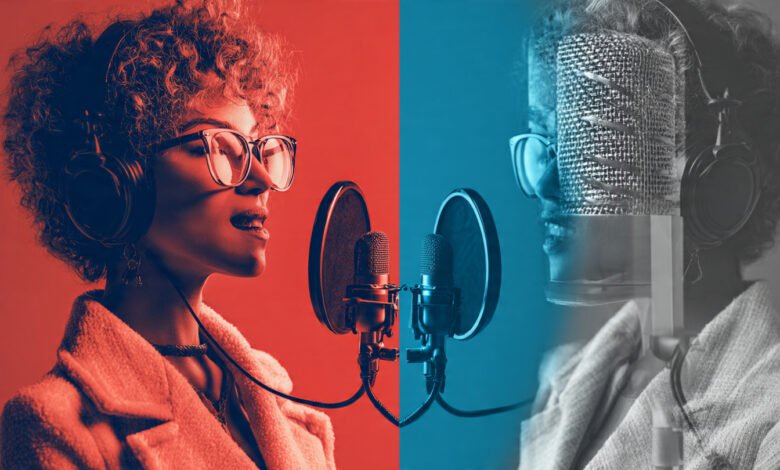
The landscape of video editing has been transformed by AI voice cloning tools that allow creators to generate realistic voiceovers in seconds. If you’re a video editor looking to streamline your workflow, reduce costs, and produce professional content faster, understanding the best voice cloning software available in 2026 is essential.
AI voice cloning technology has evolved from producing robotic-sounding audio to creating natural, emotion-rich speech that’s nearly indistinguishable from human recordings. Modern voice synthesis platforms now require as little as 15-30 seconds of audio to create a realistic voice clone, with some tools offering instant cloning capabilities. This technology has become particularly valuable for video editors who need to fix audio mistakes, create multilingual content, or produce consistent voiceovers without expensive recording sessions.
Whether you’re editing YouTube videos, creating training materials, producing marketing content, or working on podcast episodes, the right AI voice generator can save you hours of work. This comprehensive guide examines the top 10 AI voice cloning tools specifically suited for video editors in 2026, analyzing their features, pricing, integration capabilities, and real-world applications. We’ll help you identify which platform aligns best with your editing workflow and content requirements.
What Is AI Voice Cloning and Why Video Editors Need It
AI voice cloning is a technology that uses deep learning and neural networks to analyze voice recordings and create a digital replica that can generate unlimited speech. The process captures unique vocal characteristics including pitch, tone, cadence, rhythm, and emotional inflection.
How Voice Cloning Works for Video Editing
Modern voice cloning software operates through several sophisticated stages:
- Audio Analysis: The system extracts vocal features using mel-frequency cepstral coefficients (MFCCs) and spectrograms to capture the frequency content of speech
- Neural Network Training: Advanced architectures like Tacotron 2 and transformer-based systems learn to map text inputs to speech patterns
- Speech Synthesis: When you input new text, the model generates audio that sounds like the original speaker
For video editors, this technology solves critical workflow challenges. Instead of scheduling recording sessions, hiring voice talent, or re-recording entire segments due to script changes, you can simply type corrections and generate professional audio instantly.
Benefits for Video Production Workflows
Video editors benefit from AI voice cloning in multiple ways:


- Time Efficiency: Fix audio mistakes in seconds without re-recording
- Cost Reduction: Eliminate recurring voice actor fees
- Consistency: Maintain the same voice across multiple projects
- Multilingual Content: Generate voiceovers in different languages while preserving vocal identity
- Post-Production Flexibility: Add or modify narration after filming completes
According to recent market data, the AI voice cloning market is projected to reach $7.75 billion by 2029, reflecting widespread adoption across content creation and video production industries.
Top 10 AI Voice Cloning Tools for Video Editors in 2026
1. ElevenLabs – Best for Realistic English Voiceovers
ElevenLabs has established itself as the benchmark for natural-sounding voice cloning, particularly for English-language content. The platform consistently ranks highest in blind listening tests for voice quality and realism.
Key Features:
- Instant Voice Cloning: Creates professional clones from 60 seconds of audio
- Emotion Control: Advanced settings for conveying different emotional states
- 32+ Languages: Supports multilingual speech synthesis, though English remains strongest
- API Integration: Well-documented API for workflow automation
- Voice Library: Access to 1000+ pre-made voices
Best For: Video editors prioritizing audio quality for documentaries, audiobooks, and premium content where voice realism is paramount.
Pricing: Free tier includes 10,000 credits monthly; Starter plan at $5/month; Creator at $11/month with professional voice cloning and higher quality 192kbps audio.
Considerations: Terms of service grant the platform extensive rights over user voice data, raising ownership concerns. Multilingual performance doesn’t match English quality.
2. Descript Overdub – Best Integrated Video Editing Solution
Descript revolutionizes post-production by allowing video editors to edit audio by editing text. This unique approach makes it the top choice for editors who want voice cloning capabilities built directly into their editing workflow.
Key Features:
- Text-Based Editing: Delete words from transcripts and audio deletes simultaneously
- Neural Audio Editing: Insert, replace, or modify words in existing recordings
- Automatic Transcription: AI-powered transcription with speaker detection
- Filler Word Removal: Automatically eliminate “um,” “uh,” and other verbal tics
- Multi-Track Editing: Full video and audio editing suite
- 4K Export: Professional output quality
Best For: Podcasters, YouTubers, and video editors who need seamless integration between editing and voice synthesis.
Pricing: Free tier with 5 minutes of Overdub; Creator at $24/month with 30 media hours; Business at $50/month for teams.
Workflow Advantage: Instead of bouncing between separate tools, Descript keeps everything in one workspace. Record your voice once, then type corrections that automatically generate in your cloned voice. This saves countless hours in post-production.
3. Fish Audio – Best for Emotional Control and Multilingual Projects
Fish Audio stands out for creators who need expressive, emotion-rich voice cloning with strong multilingual capabilities. The platform’s emotion tag system provides granular control over vocal delivery.
Key Features:
- 15-Second Cloning: Creates functional clones from minimal audio samples
- Emotion Tags: Control delivery with tags like whispering, friendly, angry, or excited
- Cross-Language Performance: Consistent quality across multiple languages
- Free Tier: Generous free generations monthly
- API Access: Developer-friendly integration options
Best For: Video editors creating narrative content, explainer videos, or multilingual projects requiring emotional nuance.
Pricing: Free tier available; paid plans start at $14.25/month with higher tiers for increased character limits.
Unique Advantage: The emotion tag system addresses gaps that many platforms leave open, allowing editors to match voice delivery to visual content precisely.
4. HeyGen – Best for Avatar-Driven Marketing Videos
HeyGen combines AI voice cloning with digital avatars, making it ideal for video editors producing marketing content, social media videos, and presentations without camera work.
Key Features:
- 175+ Languages: Extensive multilingual support
- AI Avatars: Create complete video presentations from text
- Video Templates: Pre-built templates for quick production
- Lip Sync Technology: Automatically syncs avatar mouth movements to speech
- Fast Processing: Quick turnaround for short-form content
Best For: Marketing teams, social media creators, and editors producing high-volume content for platforms like TikTok, Instagram Reels, and YouTube Shorts.
Pricing: Free plan includes 1 voice clone and 3 videos monthly; Creator at $29/month with unlimited cloning; Team at $39/seat/month.
Integration: Particularly effective for editors who want to create personalized video messages or product demos without filming.
5. Resemble AI – Best for Enterprise and Developer Workflows
Resemble AI targets professional video editors and development teams needing fine-grained control, robust API access, and enterprise-grade security features.
Key Features:
- Rapid and Professional Cloning: Two-tier system from 10-second prototypes to studio-quality clones
- Neural Watermarking: Advanced security features for authentication
- Real-Time Voice Generation: Low-latency synthesis for interactive applications
- Emotion Control: Nuanced emotional delivery options
- Custom Voice Blending: Combine characteristics from multiple voices
Best For: Professional production studios, game developers, and enterprise teams requiring voice cloning with strict security protocols.
Pricing: Custom enterprise pricing; limited free tier for testing.
Developer Focus: Comprehensive documentation and flexible API make it ideal for integrating voice synthesis into complex video production pipelines.
6. VEED.io – Best Browser-Based Solution
VEED.io offers an accessible, browser-based video editor with integrated AI voice cloning, eliminating the need for software downloads or complex setup.
Key Features:
- No Installation Required: Works entirely in your browser
- Comprehensive Video Tools: Trimming, subtitles, filters, and effects
- Quick Voice Training: Record short samples directly in the platform
- Speed and Volume Controls: Adjust cloned audio parameters
- Beginner-Friendly: Intuitive interface for creators at all skill levels
Best For: Freelance video editors, small agencies, and creators who want lightweight, accessible voice cloning without complex workflows.
Pricing: Free tier available; paid plans with enhanced features.
Simplicity Advantage: VEED.io excels at bundling multiple creative tools into one subscription, reducing vendor juggling when projects pile up.
7. Murf AI – Best for Business Training and Corporate Content
Murf AI combines voice cloning with a built-in studio designed for creating business-focused content like training videos, presentations, and marketing materials.
Key Features:
- Say It My Way: Records your voice and creates close matches
- Video Sync: Integrated studio for syncing voiceovers with video
- 20+ Languages: Good multilingual support
- Professional Voice Library: Selection of corporate-appropriate voices
- Team Collaboration: Shared workspaces for production teams
Best For: Learning and development professionals, marketing teams, and businesses creating training videos and product documentation.
Pricing: Plans start at $29/month for individuals.
Business Focus: While voice cloning quality doesn’t match specialized tools, the integrated workflow makes it efficient for corporate video production.
8. Play.ht – Best for Storytelling and Narrative Content
Play.ht focuses on creating expressive, emotion-rich voice clones particularly suited for storytelling, audiobooks, and narrative video content.
Key Features:
- Emotional Expression: Strong capabilities for conveying mood and feeling
- Character Voices: Create distinct voices for different characters
- Multilingual Support: Decent cross-language performance
- Voice Consistency: Maintains quality across long-form content
- Professional Polish: Output described as “trained voice actor” quality
Best For: Video editors working on documentaries, educational content, audiobook-style narration, and character-driven videos.
Pricing: Tiered pricing based on usage; free trial available.
Narrative Strength: The platform produces clones that sound polished and professional, making them ideal for content where storytelling quality matters.
9. WellSaid Labs – Best for Enterprise Compliance and Security
WellSaid Labs targets enterprise teams requiring reliable, consistent voice output with strict compliance standards and transparent data sourcing.
Key Features:
- Licensed Voice Data: Transparent sourcing protects against IP claims
- SOC 2, HIPAA, GDPR Compliance: Enterprise-grade security controls
- Workflow Integration: Connects with LMS platforms and authoring tools
- Bulk Generation: Handle large content libraries efficiently
- Audit Trails: Complete documentation for regulated industries
Best For: Healthcare, finance, government, and regulated industries requiring documented provenance for every asset.
Pricing: Custom enterprise pricing; starts around $50/month for professional tiers.
Trust Factor: In 2026, buying decisions increasingly place trust alongside sound quality, making WellSaid Labs’ transparent practices valuable for risk-conscious organizations.
10. Synthesia – Best for Template-Based Video Production
Synthesia offers a team-focused AI video platform designed for creating videos quickly using templates, brand kits, and streamlined workflows.
Key Features:
- Template Library: Pre-built templates for common video types
- Brand Kits: Maintain visual consistency across projects
- Team Collaboration: Easy handoff across contributors
- Multiple Formats: Optimized for training, product education, and internal communications
- Quick Production: Standardized workflows for fast output
Best For: Corporate teams producing high volumes of training videos, onboarding content, and internal communications.
Pricing: Professional and enterprise tiers; contact for custom pricing.
Standardization Benefit: Ideal when you need consistent output at scale without heavy editing overhead, though it lacks the creative flexibility of dedicated video editing tools.
How to Choose the Right AI Voice Cloning Tool
Selecting the best AI voice cloning software for your video editing workflow depends on several critical factors:
1. Evaluate Your Primary Use Case
Different tools excel at different applications:
- Post-production fixes: Descript’s text-based editing
- Marketing videos: HeyGen’s avatar integration
- Premium audiobooks: ElevenLabs’ quality focus
- Multilingual content: Fish Audio’s cross-language performance
- Enterprise compliance: WellSaid Labs’ security standards
2. Test Voice Quality Yourself
Voice quality remains subjective. Most platforms offer free tiers or trials. The practical approach:
- Take a 60-second passage from your actual script
- Generate it on 2-3 platforms that fit your requirements
- Compare output quality, naturalness, and emotional delivery
- Trust your ears over reviews
3. Consider Workflow Integration
How does the voice cloning tool fit your existing process?
- Do you need API access for automation?
- Should voice cloning be built into your video editor?
- Will you export audio to other tools or work within the platform?
4. Assess Language Requirements
If you create multilingual content, test the tool’s performance across your target languages. English voice cloning has advanced further than other languages on most platforms.
5. Review Pricing Structure
Compare costs beyond monthly fees:
- Character or credit limits
- Export restrictions
- Team collaboration features
- Commercial licensing terms
6. Verify Data Rights and Security
Read terms of service carefully, especially regarding:
- Voice data ownership
- Usage rights for generated content
- Data retention policies
- Compliance certifications (SOC 2, GDPR)
Understanding these factors helps you select a voice cloning solution that enhances rather than complicates your video production workflow.
Best Practices for Using AI Voice Cloning in Video Production
Recording Quality Matters
The quality of your voice clone depends heavily on input audio:
- Use clean audio: No background noise or music
- Maintain consistent distance: Keep the same microphone proximity
- Record in a quiet space: Minimize echo and ambient sounds
- Provide adequate samples: Most tools work best with 30-60 seconds of clear speech
Ethical Considerations and Consent
Always obtain explicit consent before cloning someone’s voice. For business use:
- Document consent in writing
- Specify approved use cases
- Implement access controls
- Create audit trails for generated content
Optimize for Natural Delivery
AI-generated voices can sound robotic without proper adjustments:
- Use punctuation to control pacing
- Insert pauses with SSML markup when supported
- Adjust speed and pitch for naturalness
- Test emotional tags to match visual content
Workflow Efficiency Tips
Maximize the benefits of voice cloning technology:
- Batch similar content for consistency
- Create pronunciation libraries for technical terms
- Save frequently used settings as presets
- Export at the highest available quality
According to industry research on AI voice applications, proper implementation of these practices can reduce video production time by 40-60%.
The Future of AI Voice Cloning for Video Editors
AI voice cloning technology continues advancing rapidly. Looking ahead:
Emerging Capabilities
- Real-time cloning: Generate voices instantly during live streams
- Adaptive emotion: AI automatically matches voice emotion to visual context
- Zero-shot multilingual: Clone in one language, generate in any language seamlessly
- Voice mixing: Blend characteristics from multiple voices for unique results
Industry Integration
Major video editing platforms increasingly integrate native voice synthesis:
- Adobe Premiere Pro partnerships
- Final Cut Pro AI extensions
- DaVinci Resolve API connections
- Cloud-based rendering services
Regulatory Landscape
As voice cloning becomes more accessible, regulatory frameworks evolve:
- Mandatory disclosure requirements for synthetic voices
- Enhanced authentication systems
- Stricter consent protocols
- Industry standards for ethical use
Video editors who stay informed about these developments will maintain competitive advantages in content creation efficiency and quality.
Conclusion
AI voice cloning tools have become essential for modern video editors seeking to streamline workflows, reduce costs, and produce professional content efficiently. The top 10 platforms reviewed here—from ElevenLabs’ superior voice quality to Descript’s integrated editing workflow, Fish Audio’s emotional control, and HeyGen’s avatar capabilities—each serve distinct needs within video production. The right voice cloning software for your workflow depends on your specific use case, whether that’s fixing podcast mistakes, creating multilingual marketing videos, producing training content, or generating narrative audiobooks. Most platforms offer free trials, allowing you to test voice quality with your actual scripts before committing. As this technology continues evolving, video editors who adopt these tools strategically will gain significant advantages in production speed and creative flexibility.